ShouArchive app icon

ShouArchive

Profiles and artifact inspection — the last checks before you ship, in one app.

Open an IPA, APK or AAB and see what the store will show, how it is signed and what it asks for. Keep provisioning profiles in order with their expiry dates. Your files never leave your Mac. Building, uploading, installing on devices and store releases carry on in the same app. It is a developer tool for building, signing and shipping the apps you make, with your own Apple and Google developer accounts and certificates.

Free download

ShouArchive is a Mac app. Open this page on your Mac to download it.

See what it does

macOS 15 Sequoia or later · Apple Silicon and Intel · One-time purchase US$29

Every feature is free through December 31, 2026 — app builds, OTA distribution and store release, no license needed.

Early bird: 30% off — your first purchase through December 31, 2026 · renewal price unchanged

Profiles

Provisioning profiles, from expiry dates to device registration

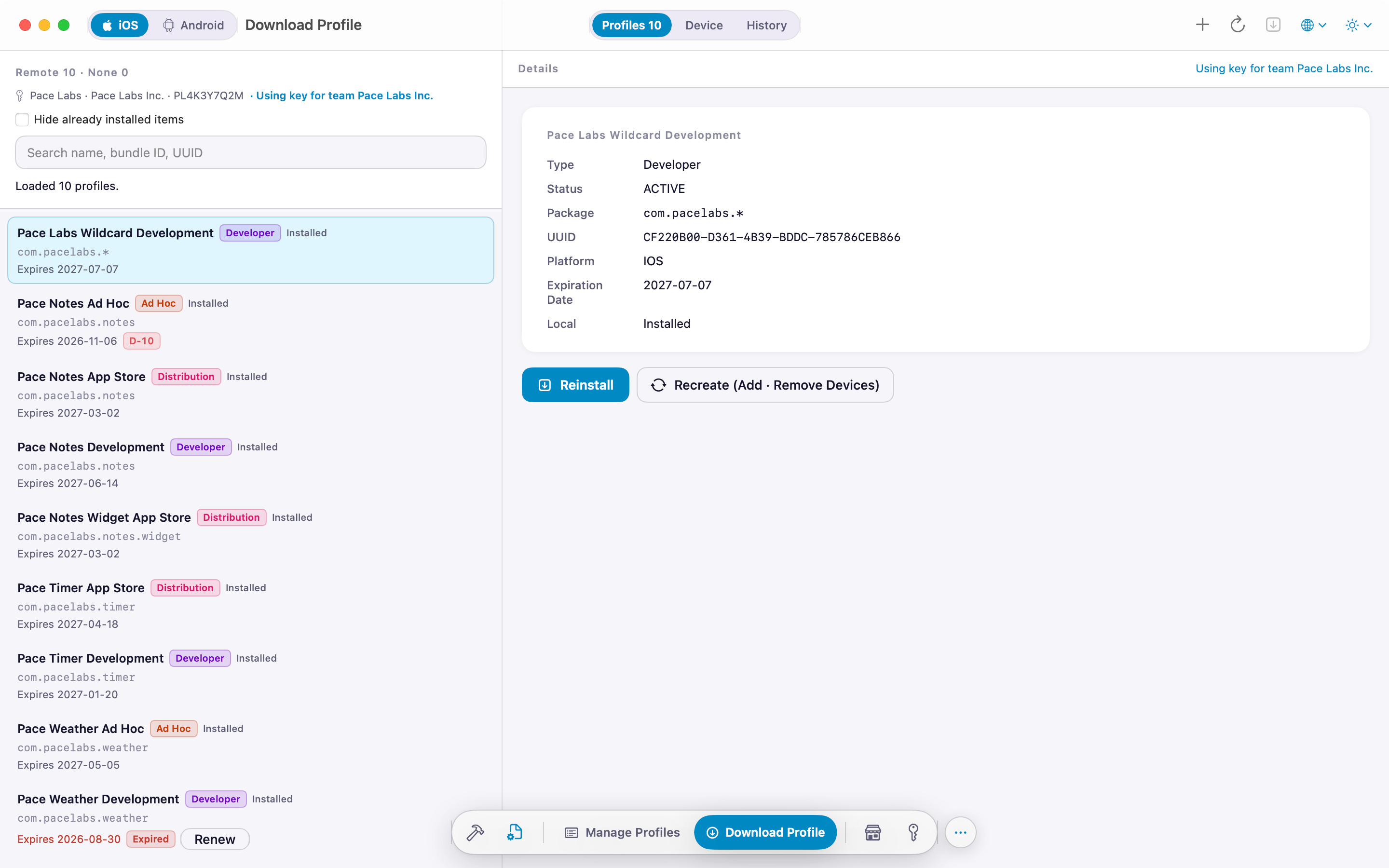
See every profile Xcode has installed at a glance. Add an App Store Connect API key and you can download, create and renew profiles without leaving the app.

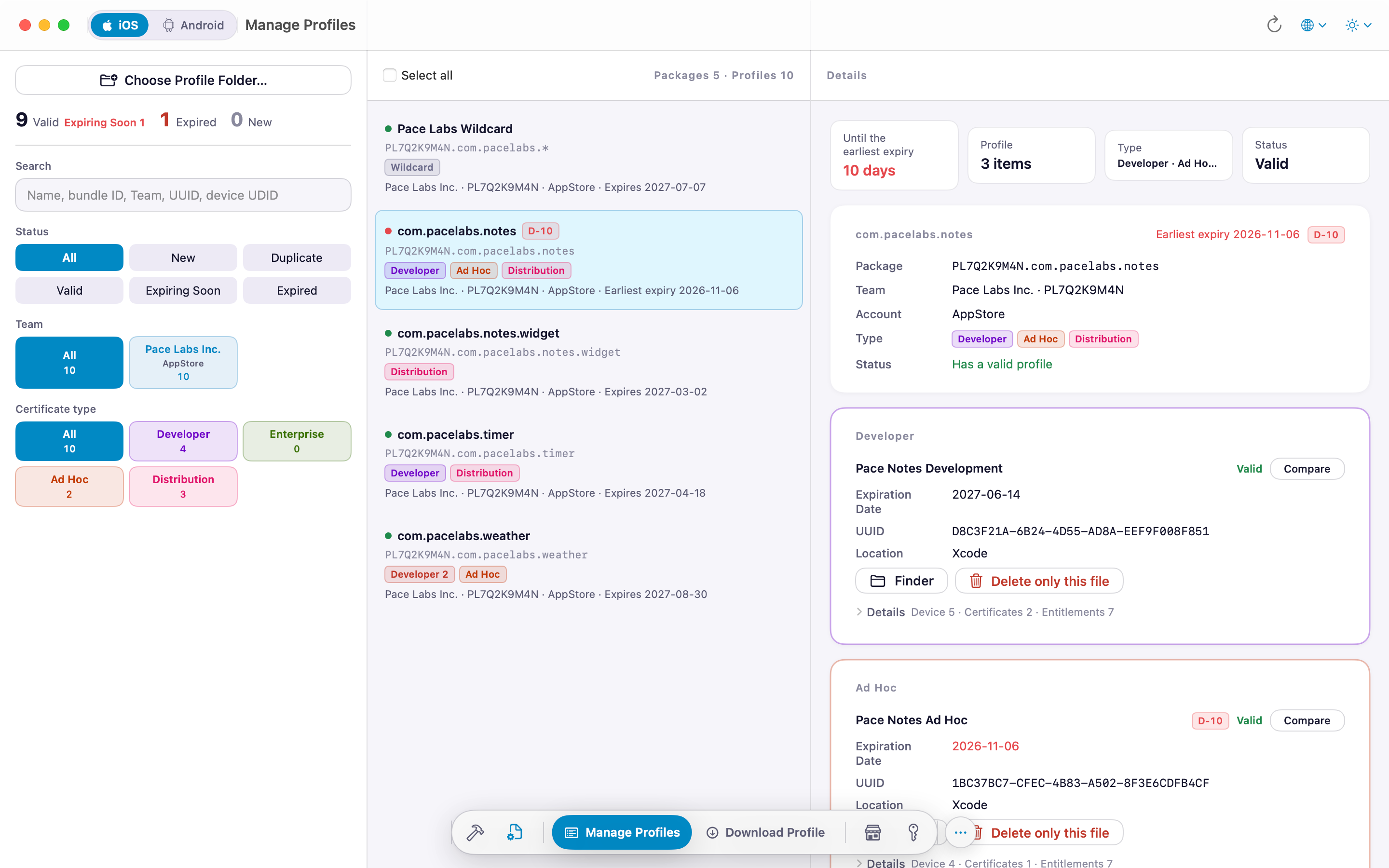
Installed profiles

  • D-N expiry badges on every row — orange within 30 days, red once expired
  • Filters: All · New · Duplicates / Valid · Expiring soon · Expired, plus by team and certificate type (Developer · Distribution · Ad Hoc · Enterprise)
  • Detail view: device UDIDs, embedded certificates (SHA-1 · SHA-256) and entitlements, each copyable
  • Details are read automatically in the background when you open the list, so you can search by name, bundle ID, UUID and even device UDID right away
  • Pick two profiles and compare them side by side from the compare bar at the top — devices, certificates and entitlements that differ
  • Drag .mobileprovision files in to add them; multi-select to delete

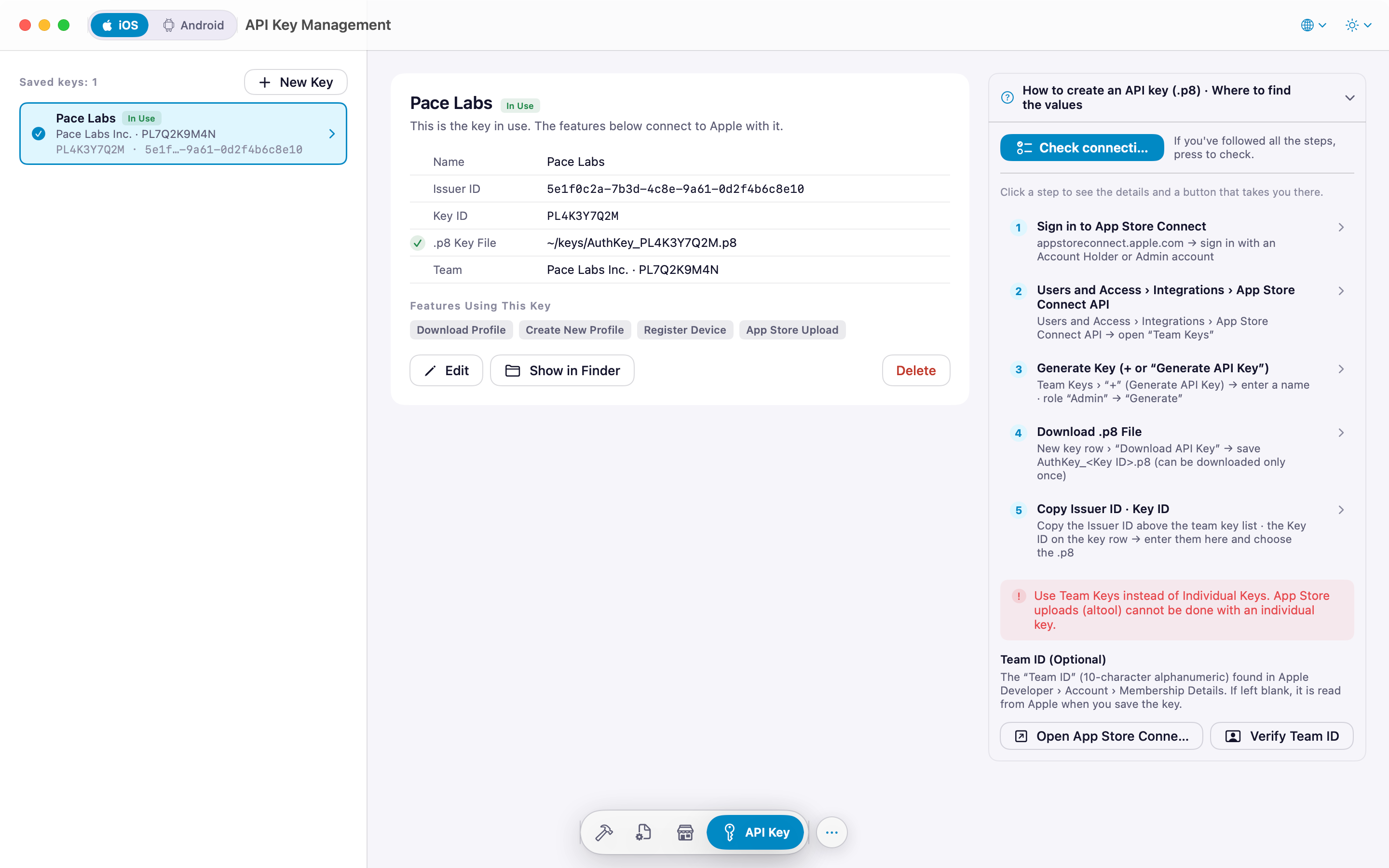
App Store Connect API

  • Save and manage several keys per team in the API Key tab — the team is read automatically when you save
  • Fetch your team's profiles and install only the missing ones
  • List registered devices and register new ones, with per-type limits shown (e.g. iPhone 3 / 100)
  • Create a profile: type, platform, bundle ID, certificates, devices
  • Regenerate or renew when devices change or expiry is near

Only an Issuer ID, Key ID and .p8 file are used. The key stays on your Mac; request tokens are signed locally.

History

  • Downloads, creations, regenerations, device registrations, additions and deletions, grouped by date
  • Search by name, bundle ID, UUID or UDID
  • Handy when you need to trace what changed and when

Artifact inspection

Open the IPA, APK or AAB before you upload it

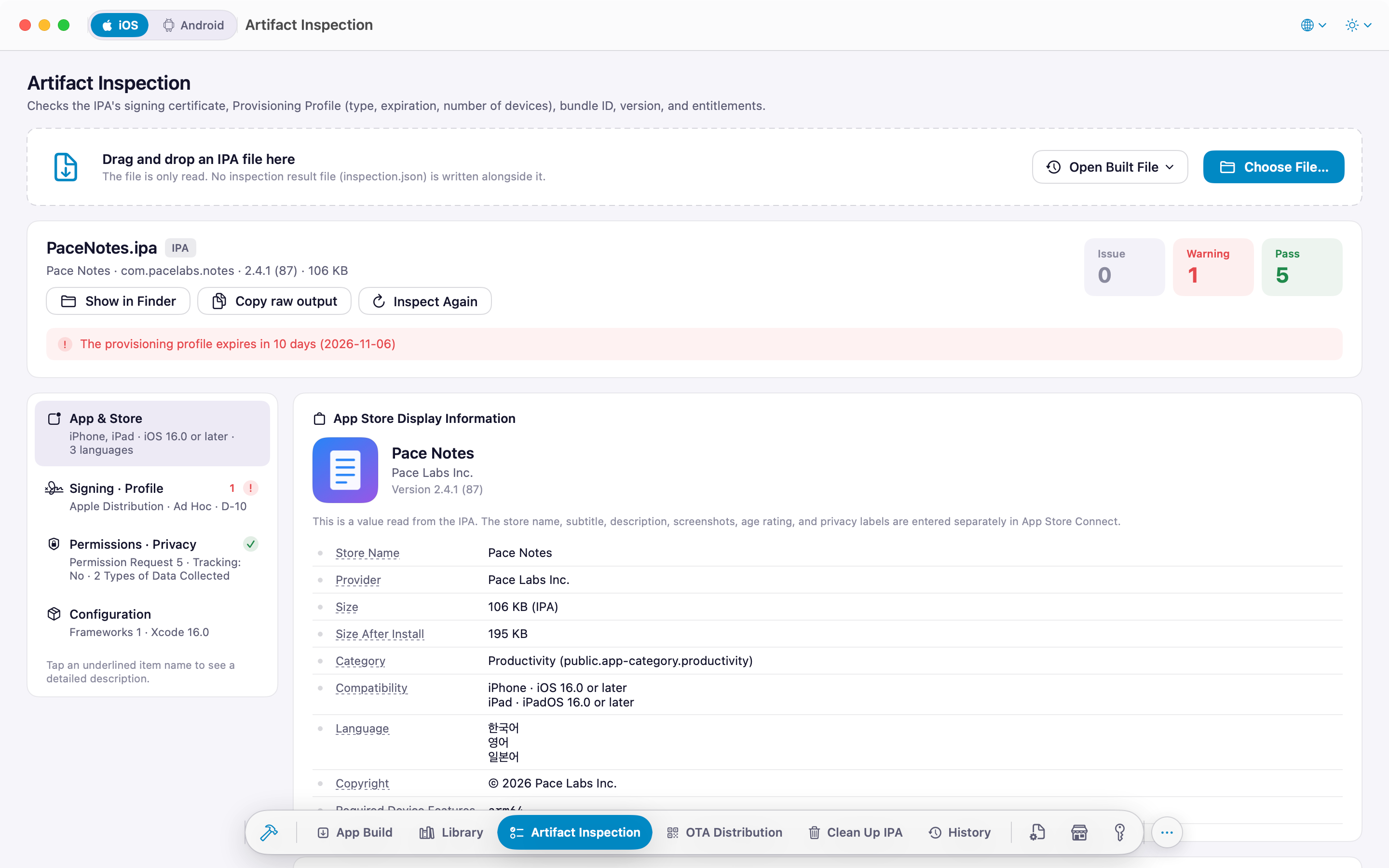
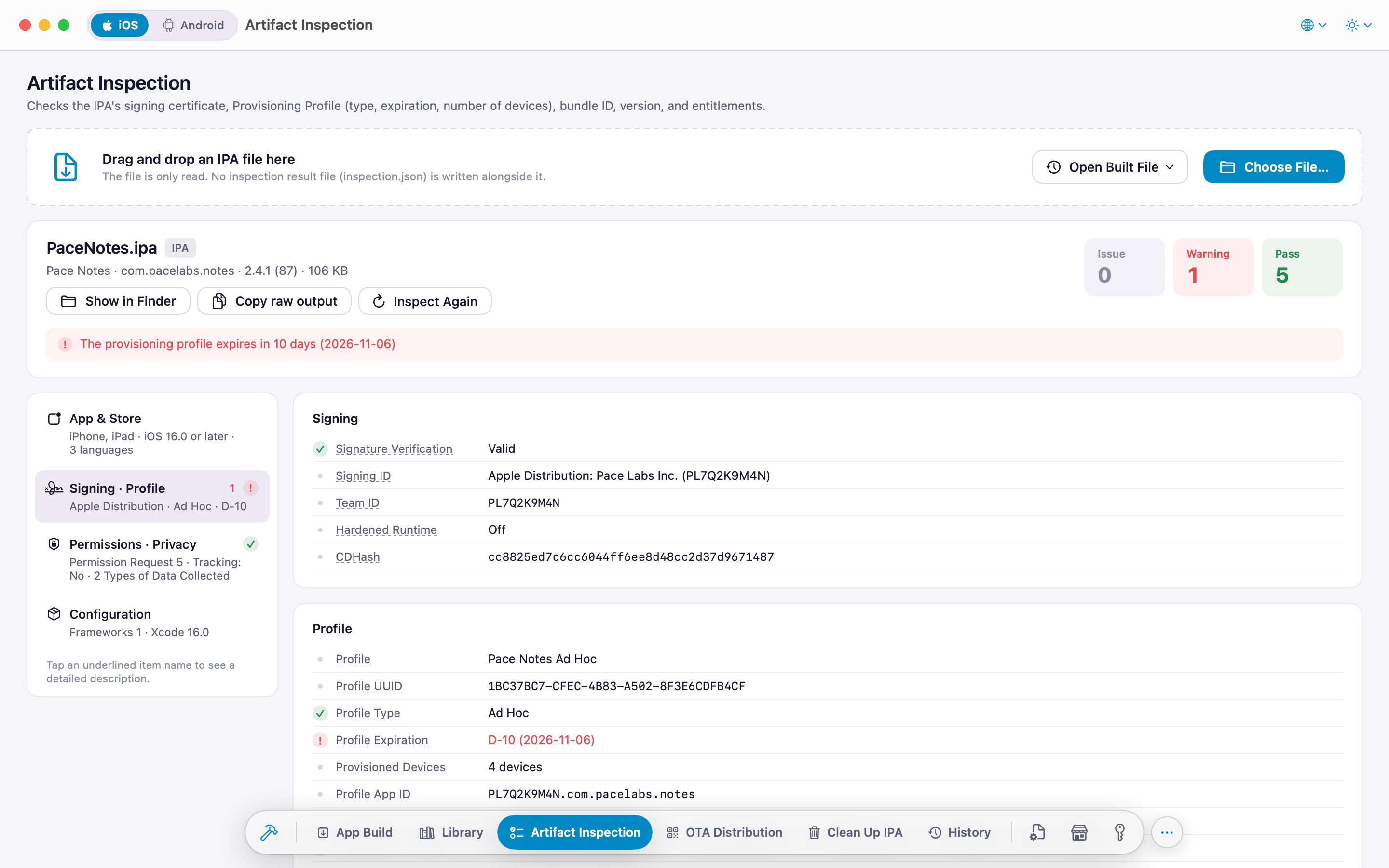
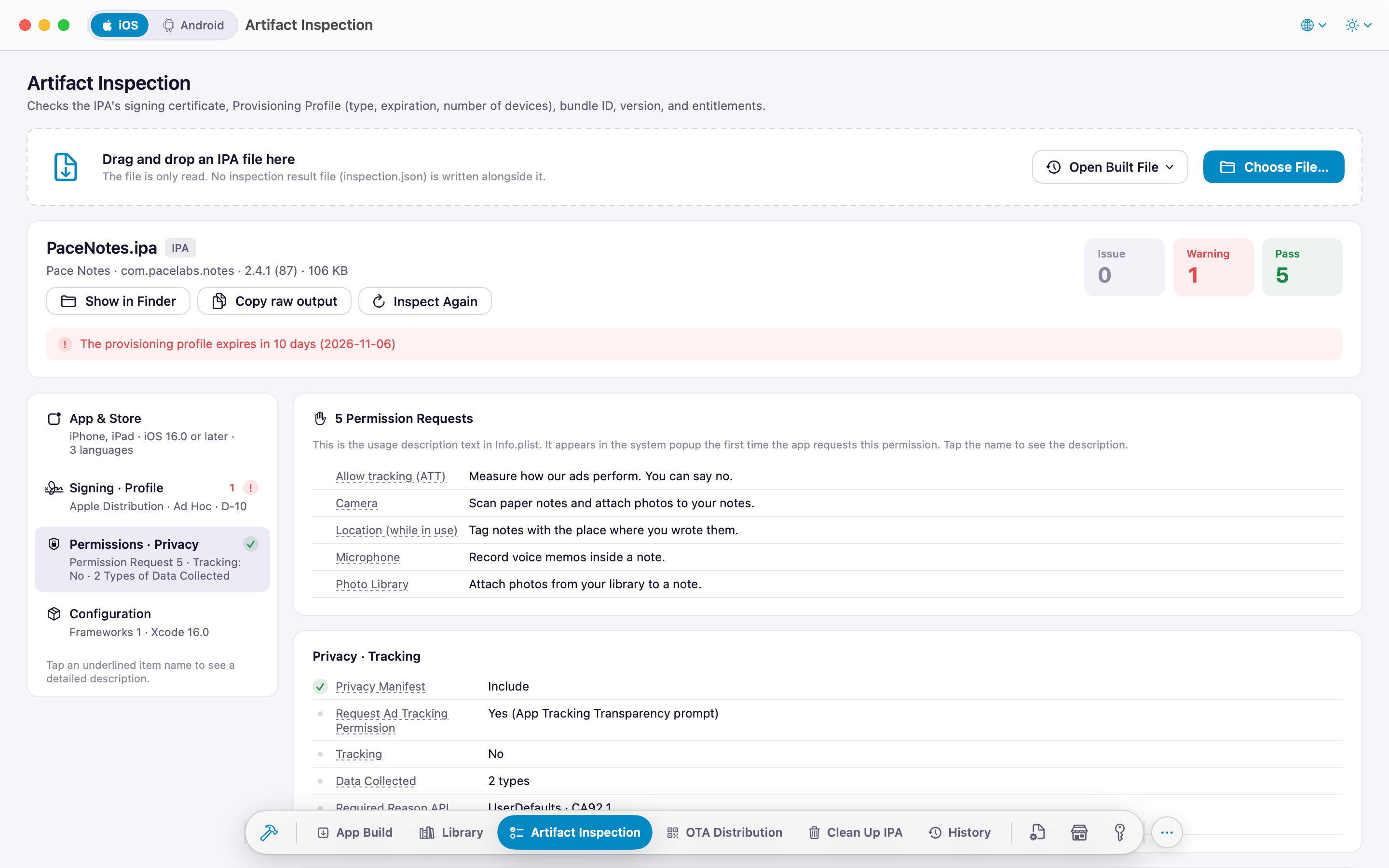
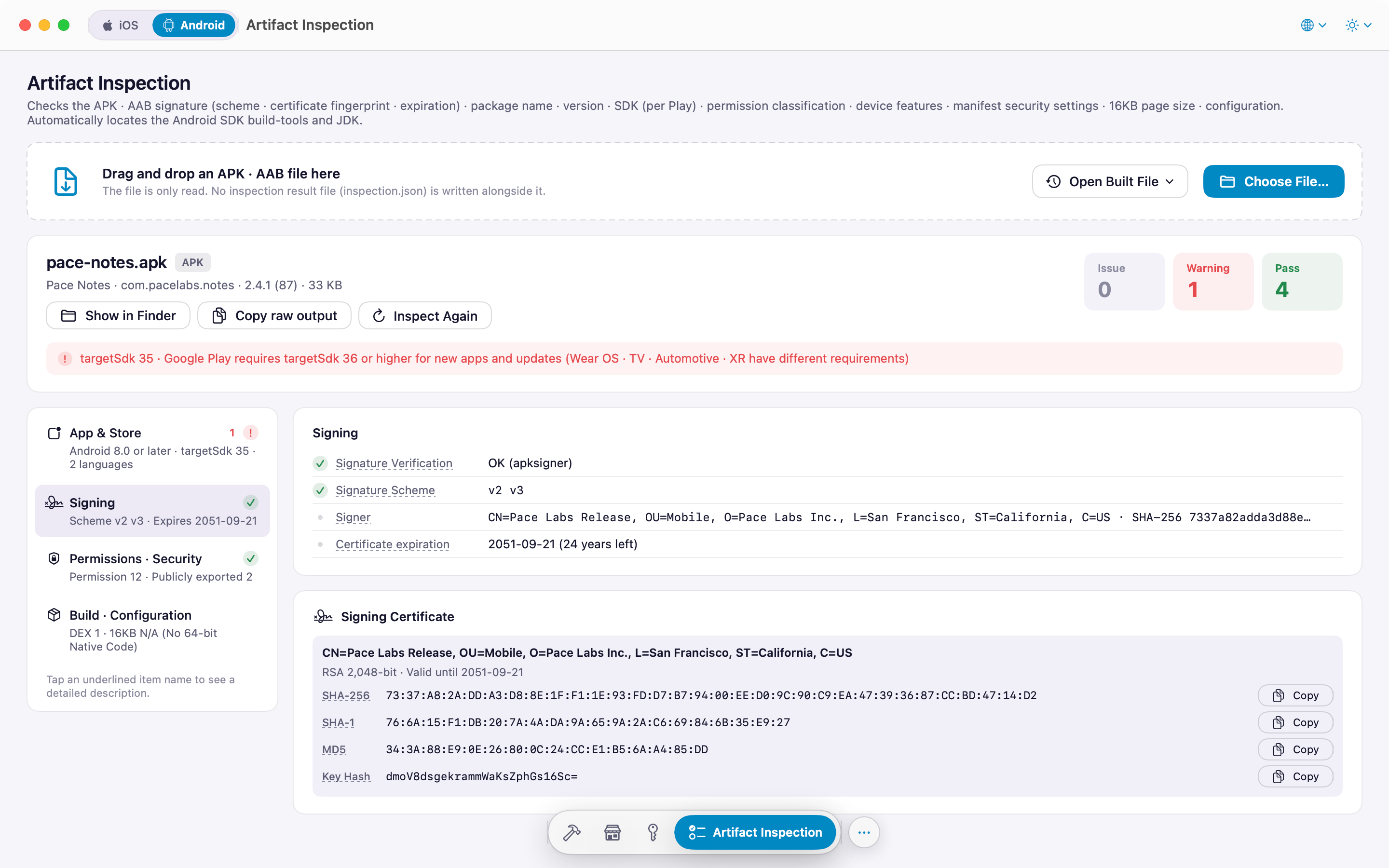
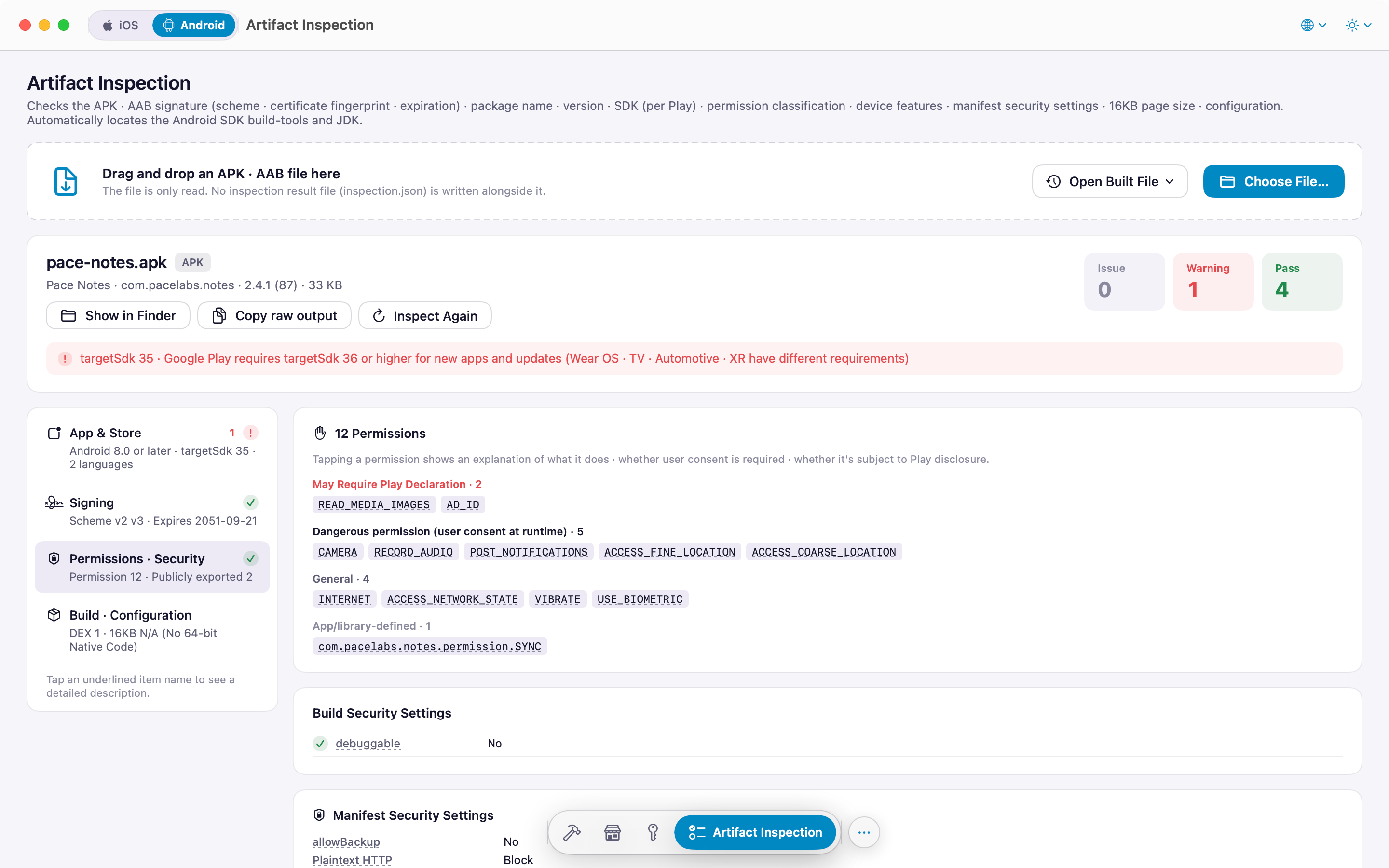
Drop a file and it is parsed on the spot — no external tools. From store listing details to signing, permissions and security settings, every item comes with a plain-language explanation.

Store listing

The values from your product page that can be read straight out of the artifact.

  • Icon, name, provider, size, supported languages
  • iOS: category, compatibility, App Tracking Transparency prompt, privacy manifest summary
  • Android: download size, required Android version, permission count, in-app billing, advertising ID, supported devices

iOS signing and permissions

  • Signing, provisioning profile and entitlements
  • Permission usage descriptions (…UsageDescription) — warns when one is empty
  • Frameworks, app extensions and entitlement lists shown in full, never truncated

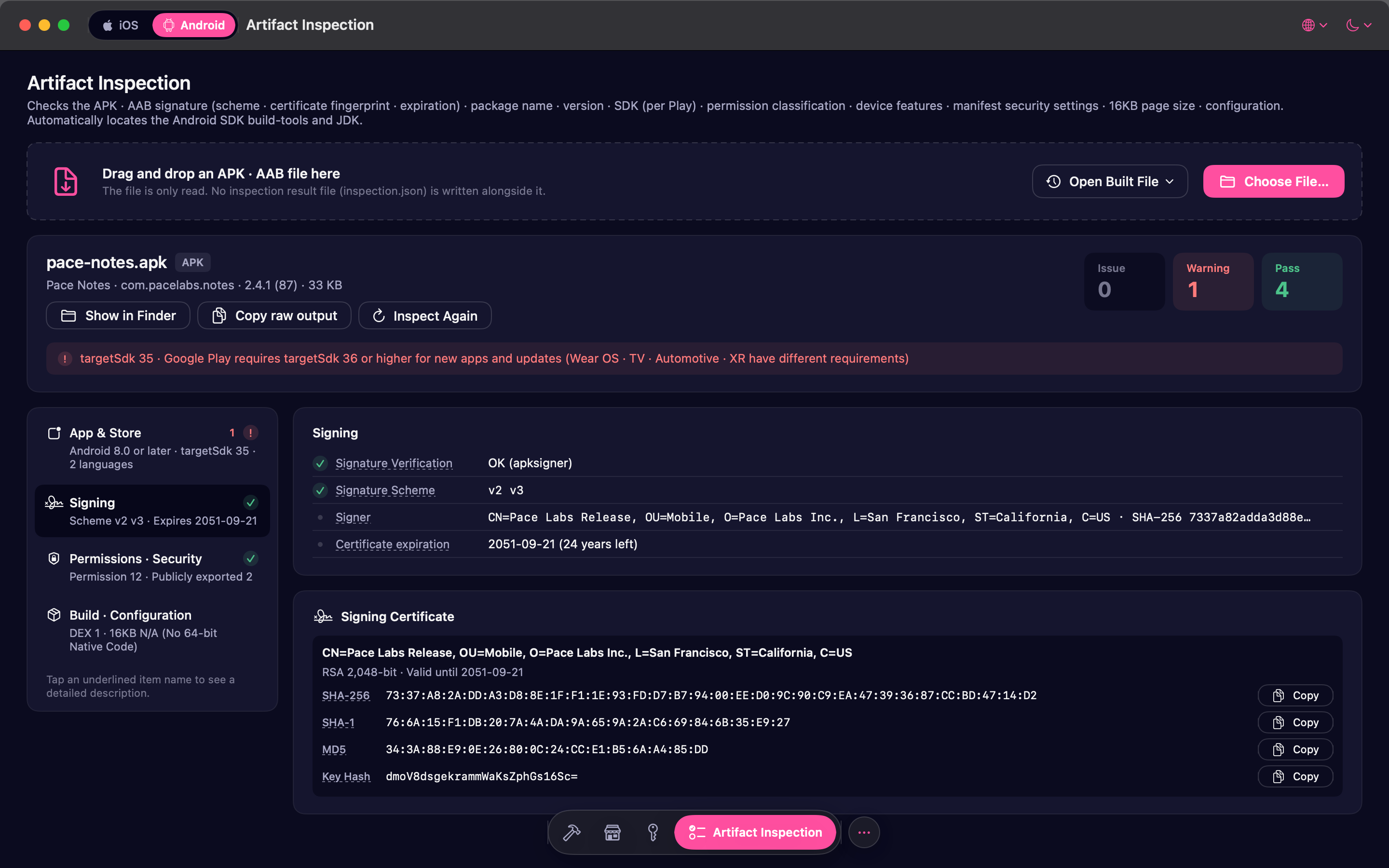
Android signing, security and 16 KB

  • Certificate fingerprints SHA-256 · SHA-1 · MD5 and key hashes for Kakao and Facebook
  • Permission classification and device features
  • Manifest security settings: allowBackup, cleartext HTTP, exported components, deep links
  • 16 KB page-size alignment check for native libraries
  • Build, configuration and size breakdown (DEX, resources, native libs per ABI)

Read-only. The file is never modified, nothing is written next to it, and nothing is uploaded anywhere.

Screens

A look around

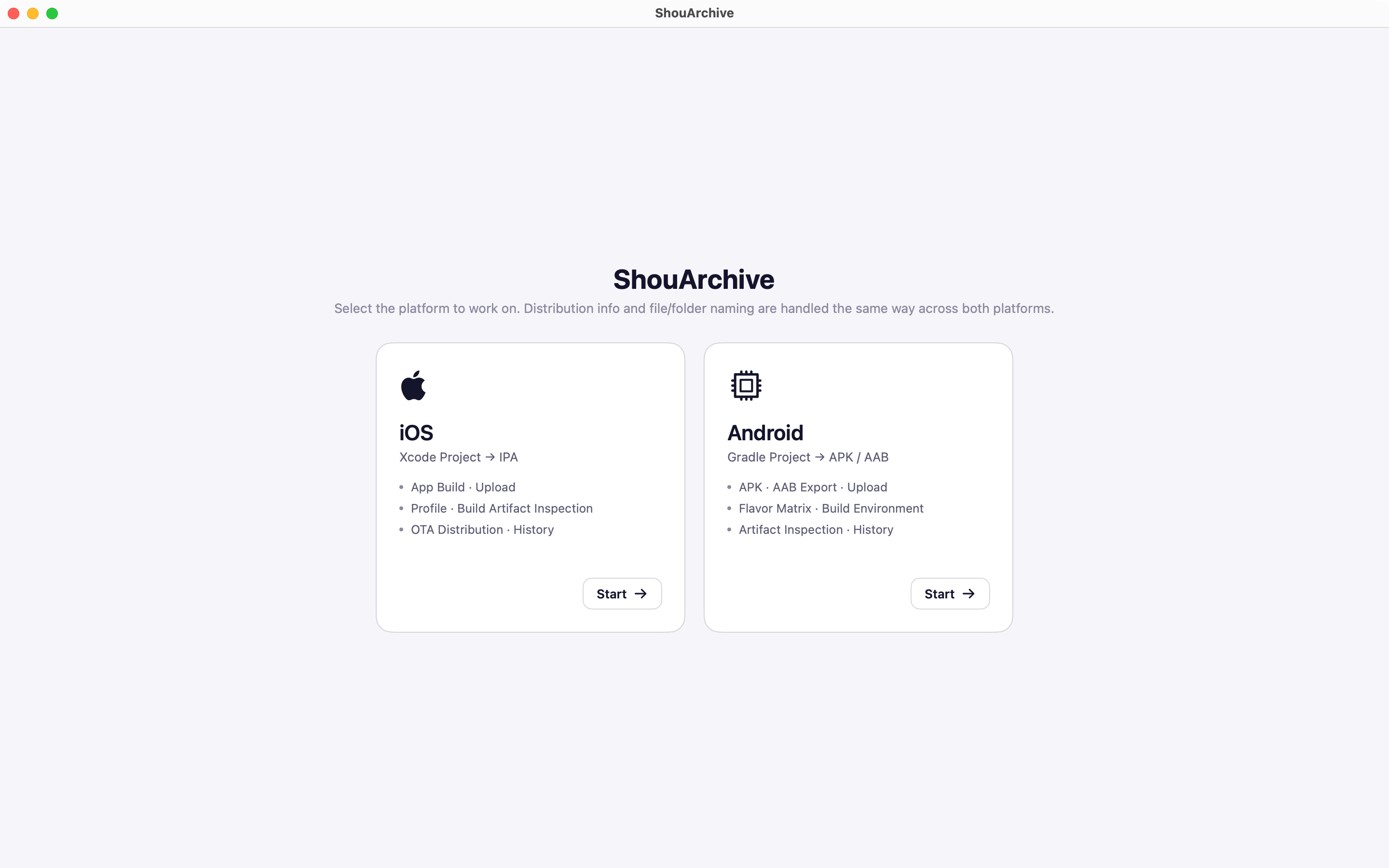
Light, dark or system appearance with two color themes (Black & White · ShouArchive), text size from 85 to 150 %. Tabs live in the menu at the bottom of the window; on the Profile tab, the sub-menu above it switches between Manage and Download.

Requirements

Requirements

macOS
15 Sequoia or laterApple Silicon and Intel (universal)
Languages
6 languagesEnglish · 한국어 · 日本語 · 简体中文 · 繁體中文 · Español
Appearance
Light · Dark · System2 color themes · Text size 85 – 150 %
Optional
App Store Connect API keyNeeded for downloading and creating profiles, registering devices and store releases

Get ShouArchive

Profiles and artifact inspection — the last checks before you ship.

Free download

ShouArchive is a Mac app. Open this page on your Mac to download it.